Pay Your Workflow Products Invoice
Preferred Payment Methods
Zelle® By Name Instructions
1
Open your banking app, find the Zelle® button and click it.
It'll be behind a menu called "Move Money", "Payments" or something similar.
2
Once you see the Zelle® button, click it.
3
Once you're in the Zelle® menu, click "Send".
4
You're screen will have a field for Name, phone, email or Zelle® tag. Click it.
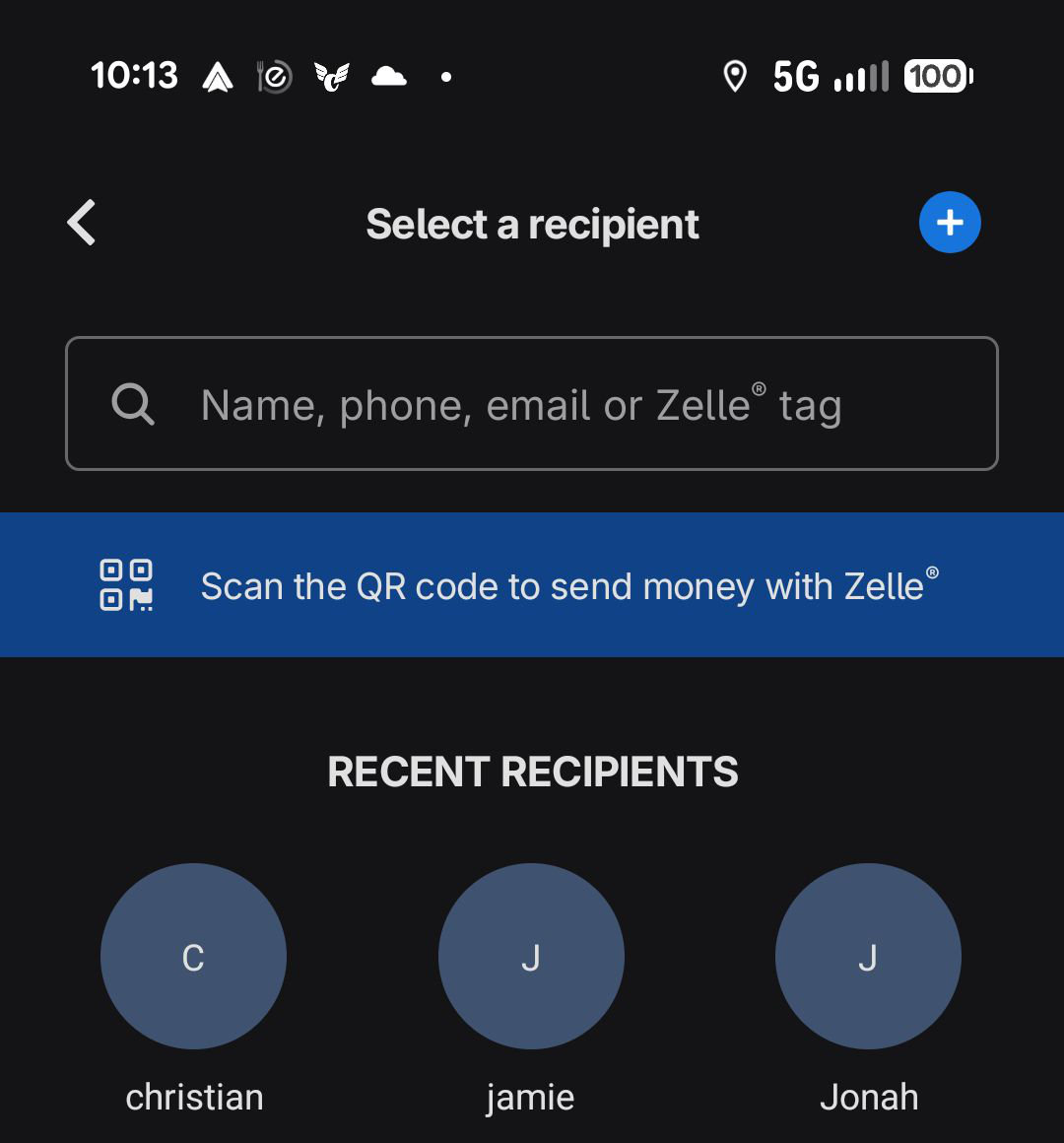
Name Field
Click!
5
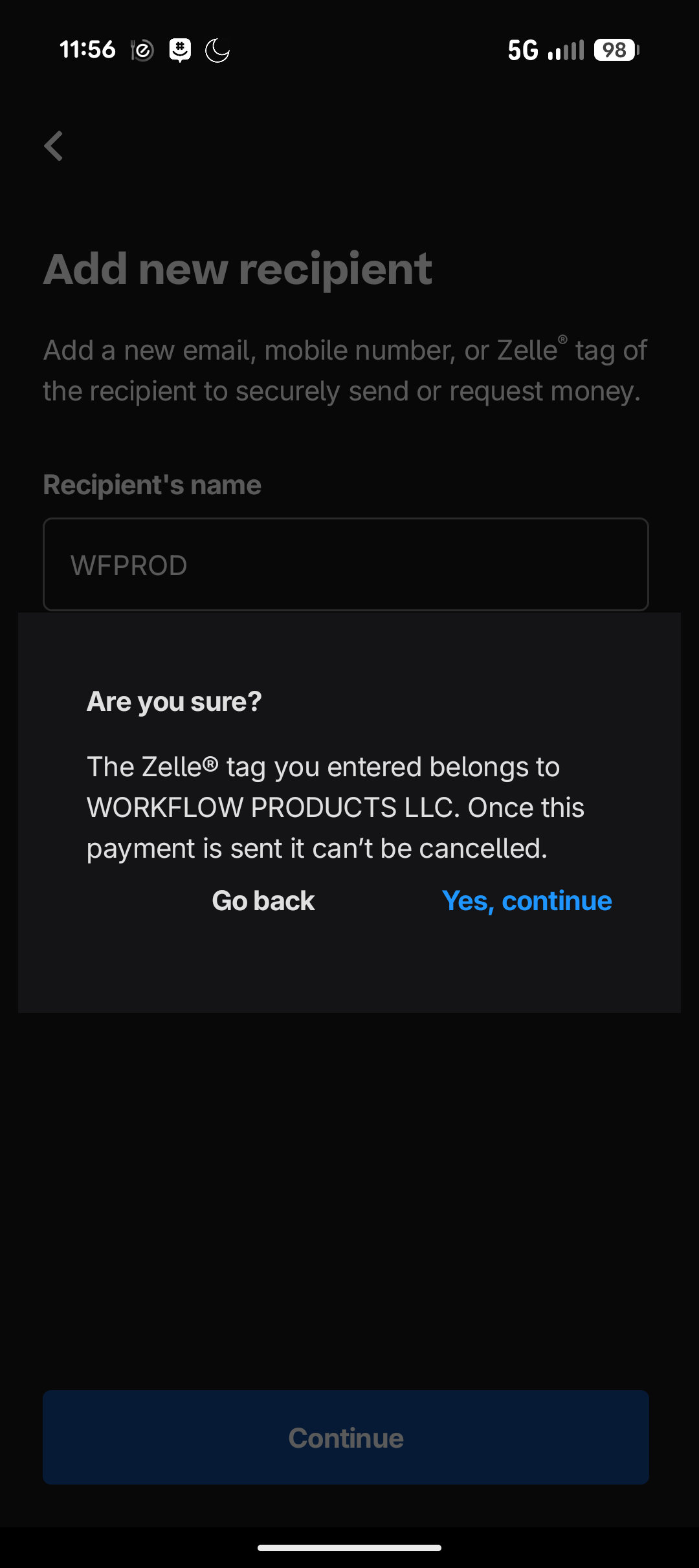
Enter the name "WFPROD" and click "continue".
6
In the popup, verify that you're sending money to "WORKFLOW PRODUCTS LLC".
7
Click in the affirmative.
8
Thank you for your payment! Any discounts or overpayment will show as a credit on your next invoice.
Zelle® QR Code Instructions
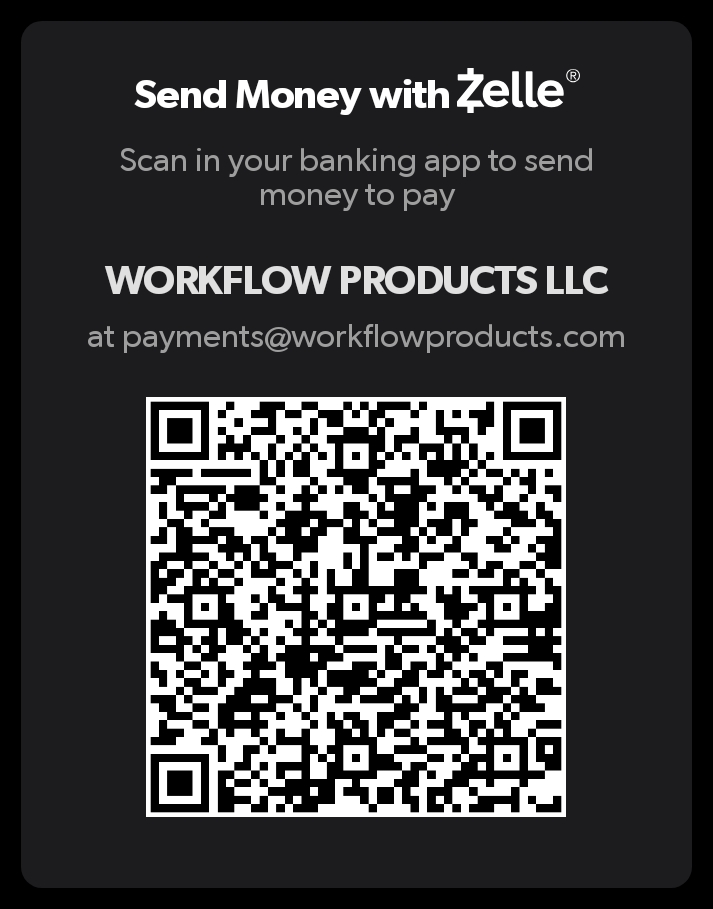
Adding a payment destination to Zelle® by QR code allows you to send money without typing an email address or U.S. mobile number.
1
Open your banking app, find the Zelle® button and click it.
It'll be behind a menu called "Move Money", "Payments" or something similar.
2
Once you see the Zelle® button, click it.
3
Once you're in the Zelle® menu, click "Send".
4
Find the "Scan a QR Code" button and click it.
Note that not all apps have the QR Code option.
Scan a QR Code button
Click!
5
Your phone's camera will open. Point it at the barcode below.
6
Enter the amount, hit "Send", and the money is on the way!
7
Thank you for your payment! Any discounts or overpayment will show as a credit on your next invoice.
Zelle® is available in over 2500 banking apps and is the only way to send money with no fees to either party.
Additional Payment Methods